
Schedule and recruit employees, link work orders to tasks, and track time directly within the same workflow. No more separate tools.
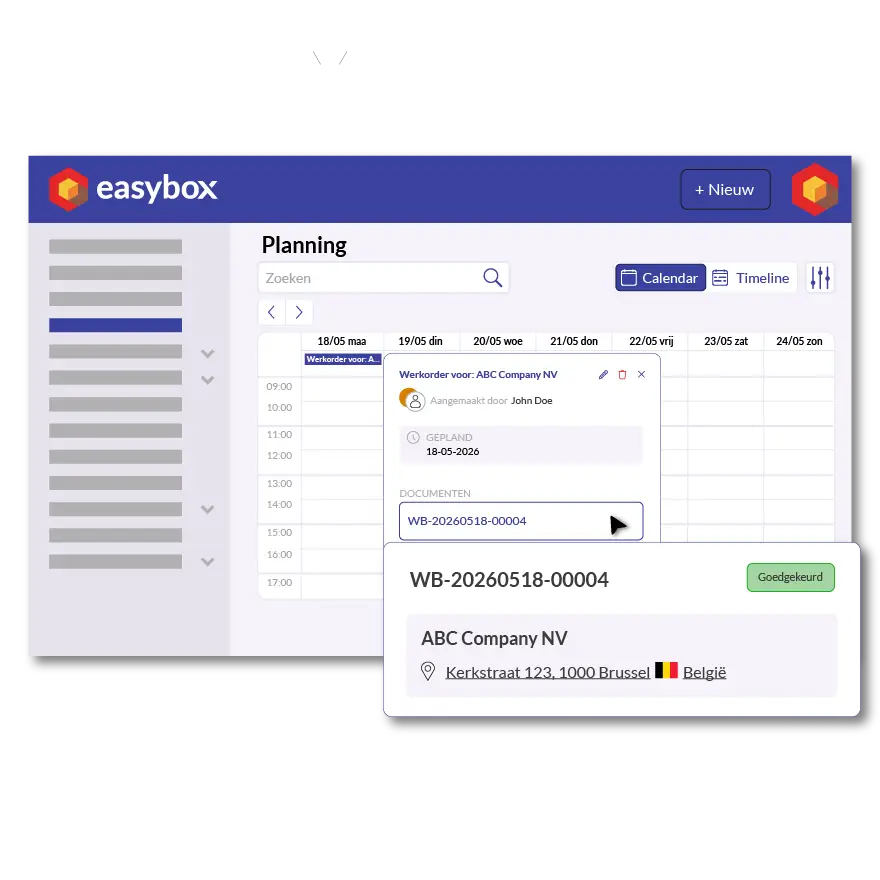
At most construction companies, the schedule is posted on a whiteboard, work orders are kept in a folder in the van, and hours are quickly jotted down on a piece of paper in the evening. The result: duplicate work, misunderstandings, and invoices that go out too late. Easybox solves this by seamlessly linking scheduling, work orders, and time tracking.
You start with a task in the schedule: “Fencing in Terneuzen — Bus 1 — Thursday, 8:00 a.m. to 12:00 p.m.” You link a work order to that task. The employee opens the work order on their smartphone, logs the time worked, adds photos, and has the customer sign it digitally. Everything is immediately recorded in the central system—ready to be invoiced.
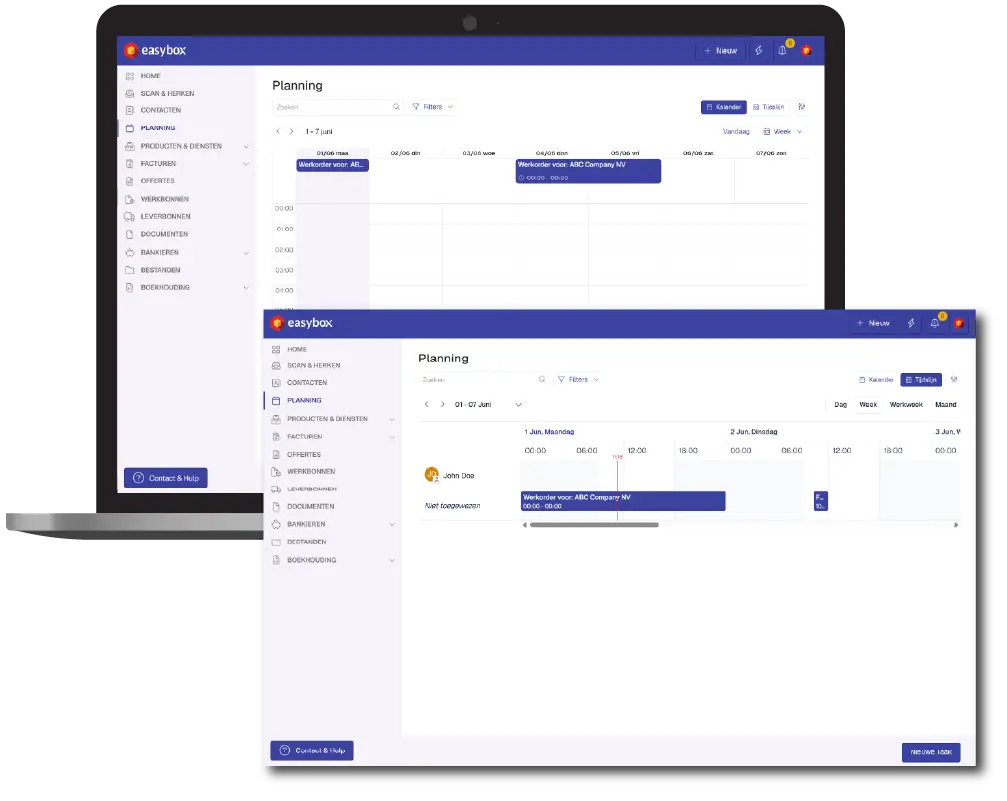
You can view the schedule by employee, by job site, or by day—depending on what you need at the moment. Switch with a single click between the calendar view (a clear daily overview) and the timeline view (broken down by the hour). Set the day the week starts (Saturday for roofers, Monday for installers) and the time your employees usually start work.
Need to reschedule an appointment? Just drag it to a different day or time. The linked work order and time log will automatically update, so you don't have to update any separate documents.
Then request a free demo today!
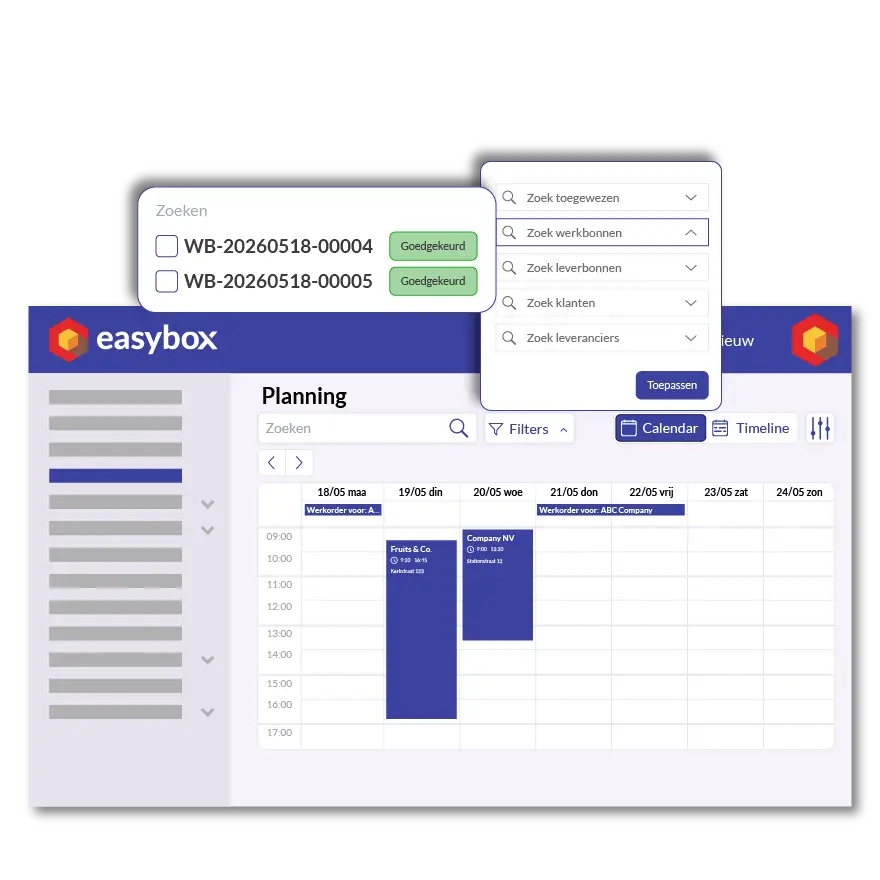
Who’s where, what needs to be done today, and is there room for an extra task? Easybox gives each role the right view. The manager can see the week’s staffing at a glance. The planner spots conflicts and gaps. The employee sees only their own tasks—clearly and without clutter. No more back-and-forth emails, no more phone calls to check who’s where.
Here we answer some frequently asked questions about our invoicing software. If you can't find your question and/or answer right away, please don't hesitate to contact.
In Easybox, you start with a scheduled task and link a work order to it right away. When the employee on-site logs their time through the app, that time is automatically added to the work order and appears in the schedule. This means you no longer need separate time-tracking software or to enter data twice—it’s all one seamless process.
Yes, Easybox offers both a calendar view (by day, week, or month, clearly organized by employee) and a timeline view (broken down by the hour, ideal for tight construction site scheduling). You can switch between the two with a single click and set the day and time your workweek begins.
Yes. Each employee logs in via the Easybox app and sees only their own tasks, including the address, customer, associated work order, and any notes. If the manager changes the schedule, employees see the update immediately on their device. This significantly reduces phone calls and miscommunication.
Nothing gets lost. The employee records the actual time worked on the work order—even if it differs from the schedule. Easybox then automatically displays the difference between planned and actual hours, giving you an instant profitability check for each job site and each project.