
Create multiple custom quote and invoice templates, switch between them with a single click, and see every change in real time. No more test invoices needed.

In most invoicing programs, you have to customize a template, save it, create a test invoice, check how it looks, go back to the settings, customize it again, and test it again—a time-consuming back-and-forth that often leaves business owners with an annoying hour of work to do in the evening. Easybox does things differently.
As you design a template, you'll see a real-time preview on the right of what your invoice will ultimately look like. Change the position of your logo, increase the margins, choose a different font, add a payment due date—every change appears immediately in the preview. No test invoices, no exporting, no frustration.
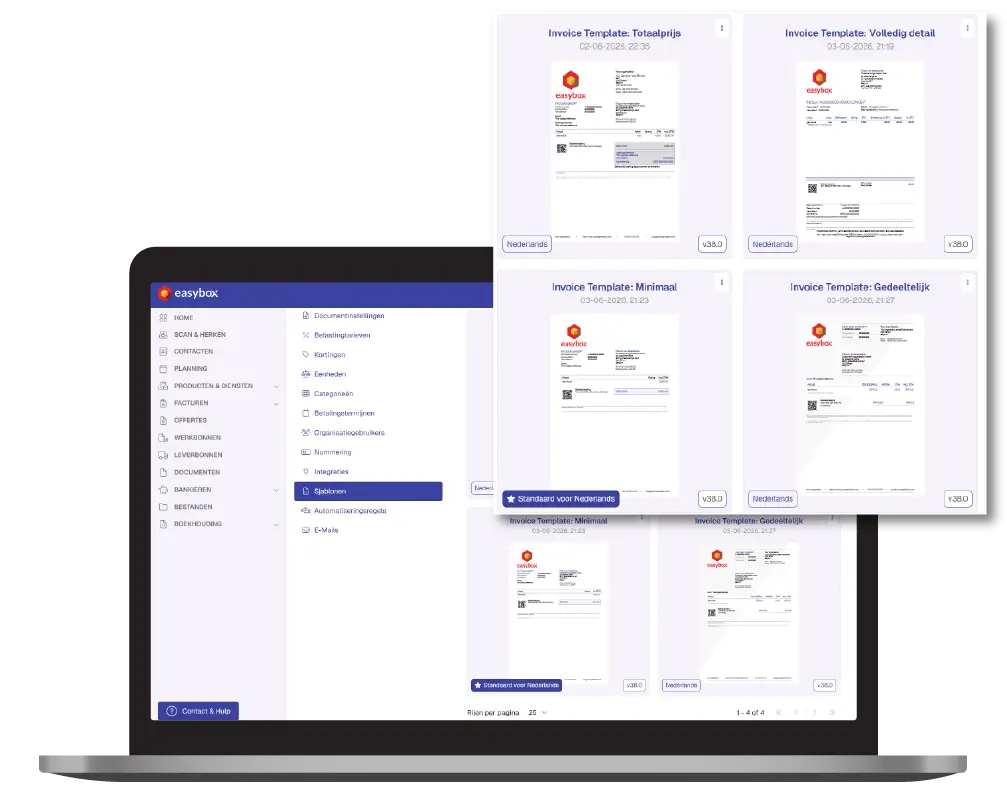
Not every customer deserves the same level of detail. For a large business client with competitive pricing agreements, you might want to show only the total amount. For a residential customer who just ordered a new kitchen, on the other hand, you’ll want to show every detail—otherwise, you’ll get questions. Easybox lets you choose between three display modes for each quote or invoice:
Create different templates for different types of clients or projects, and switch between them with a single click. No separate template manager with technical settings—just choose and send.
Then request a free demo today!
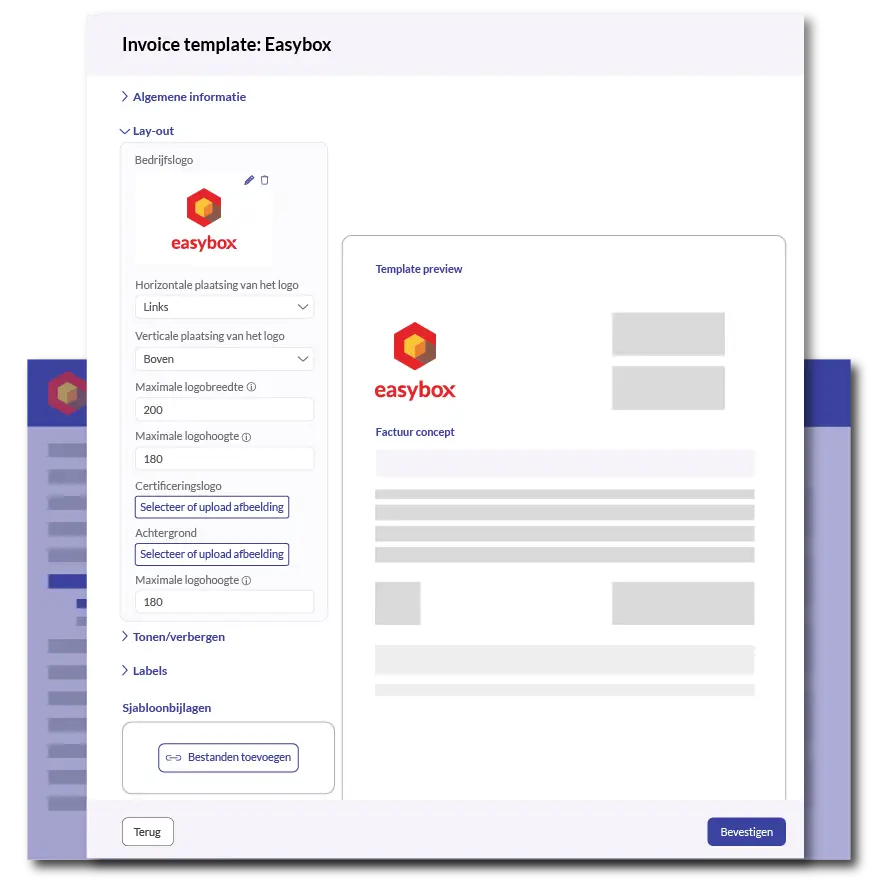
Add a logo, choose a color palette, select corner and border styles, customize typography, set margins, add a header and footer, and include terms and conditions at the bottom—everything can be customized through a simple interface. Even users without a technical background can create a professional template in half an hour that perfectly reflects their brand identity.
For those who prefer to get started right away: Easybox provides standard templates that you can customize to your liking. And you can always turn to the Easybox team for advice or help with specific requirements.
Here we answer some frequently asked questions about our invoicing software. If you can't find your question and/or answer right away, please don't hesitate to contact.
Yes. Easybox shows a live preview of your template as you make changes. Every change—logo, colors, layout, fonts, margins—appears immediately in the preview on the right. This is a major difference from most invoicing programs, where you have to create a test invoice each time to see the result.
Yes, you can create an unlimited number of templates and switch between them with a single click at the quote or invoice level. For example, construction contractors use this to show a minimal template (totals only) to business clients and a detailed template with all line items and unit prices to residential clients.
No. Template management in Easybox uses a visual interface where you check or uncheck elements, choose colors, and set margins. No HTML, no CSS, no technical code. The live preview lets you see the effect of every change right away—ideal for business owners and accountants without an IT background.
Yes, and this is one of the most highly rated features. You can choose between full detail (everything visible), partial (selected information), or minimal (total amount only). You decide on a per-template basis or even for each individual invoice, depending on what you’ve agreed upon with that specific customer.
Yes. Once you’ve created a template, you can apply it to all types of documents: quotes, sales invoices, advance invoices, credit memos, and payment reminders. This helps you maintain a consistent brand style across all your communications with customers—which reinforces the professional image of your construction company.