
Record hours worked directly on the work order and convert them into an invoice with a single click.
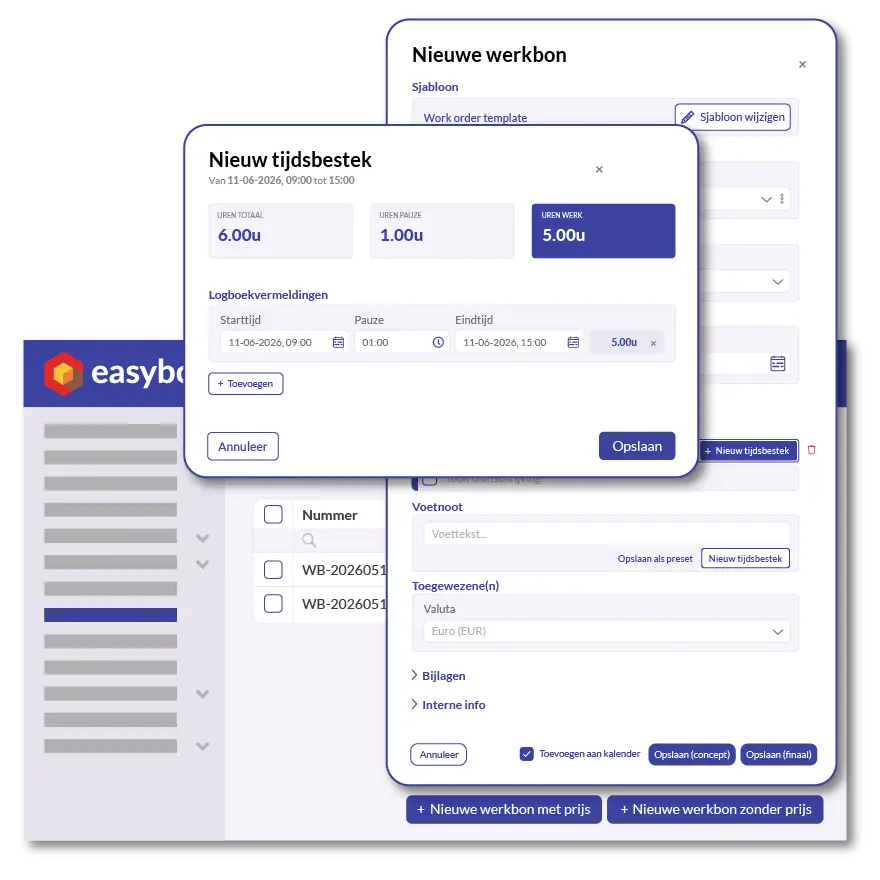
Time tracking in the construction industry has been struggling with the same problem for years: employees jot down their hours on a piece of paper, the manager enters them into Excel in the evening, and at the end of the month, there are disputes about exactly what work was done. Easybox eliminates that entire middle step.
Hours are recorded directly on the work order. Start time, end time, breaks, and total—everything is in one place. When the work order is complete, you can turn it into an invoice with a single click. The recorded hours are automatically carried over, along with the correct hourly rate from your quote or product list. No retyping, no forgotten hours, no disagreements later on.
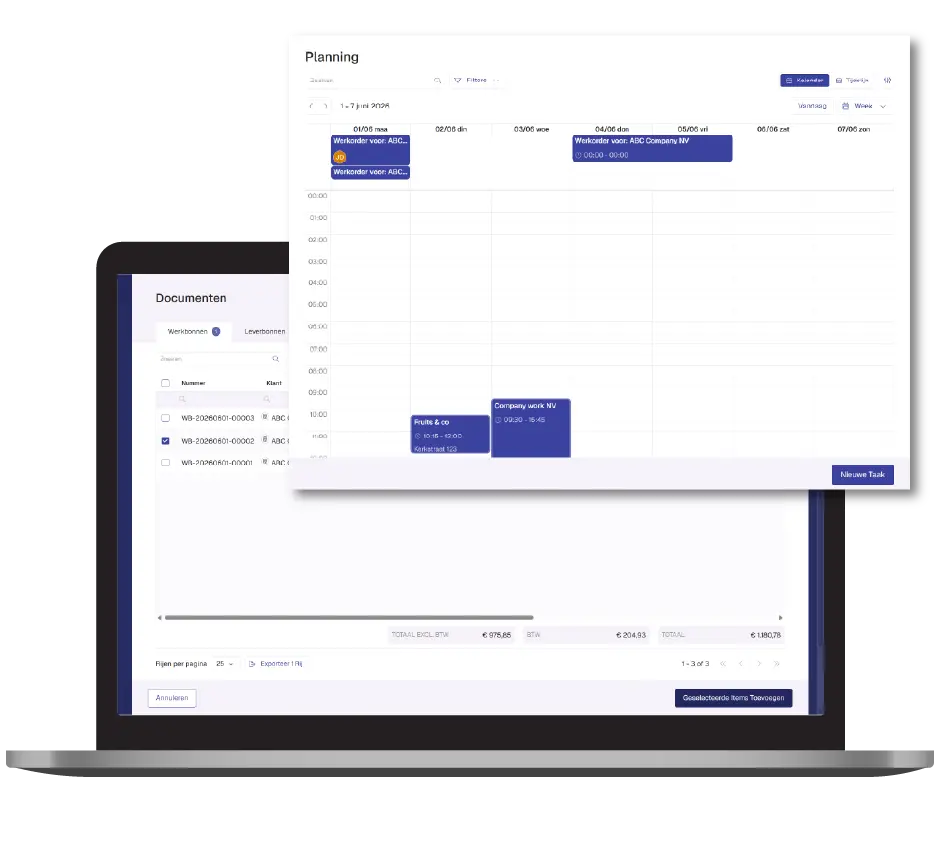
Adding a work order to the schedule is quick and easy. This way, your employees know exactly when and where they need to be, and all hours and tasks are linked to the correct project right from the start. No loose notes, no separate calendars.
Then request a free demo today!
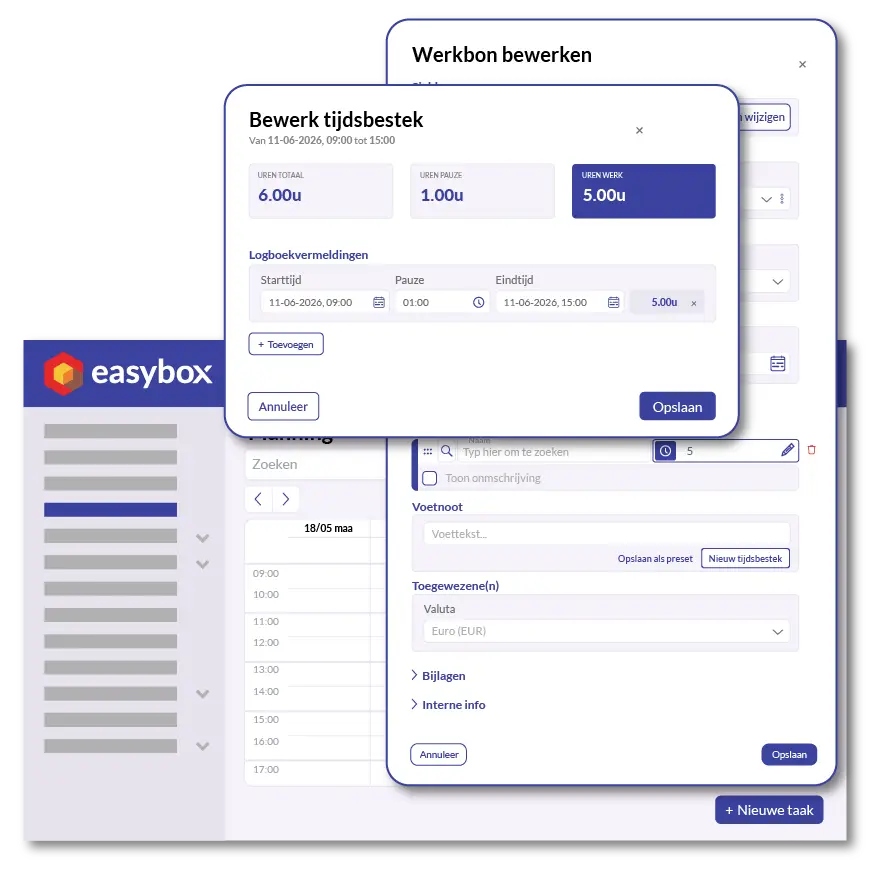
Things don't always go as planned. Did the job take longer than expected, or do you need to adjust a time block? You can easily adjust the hours—start time, end time, break, and total—right in the work order. The system automatically recalculates everything, and all the information remains neatly linked to the correct work order and customer.
Here we answer some frequently asked questions about our invoicing software. If you can't find your question and/or answer right away, please don't hesitate to contact.
Hours are entered on the work order: start time, end time, and break. The system automatically calculates the total number of hours worked. Handwritten notes and Excel spreadsheets are completely eliminated from your workflow.
Yes. For each work order, you can adjust or add time blocks. You enter the start time, end time, and break, and Easybox automatically calculates the hours worked.
Yes. When you convert a work order into an invoice, the recorded work hours are automatically carried over with the correct hourly rate. No retyping, no forgotten hours.
Yes. You can add each work order directly to the schedule so your employees know when and where they need to be. All associated hours and tasks are immediately added to the right place.