
Invoice in phases, process supplier invoices automatically, and keep your cash flow fully under control.
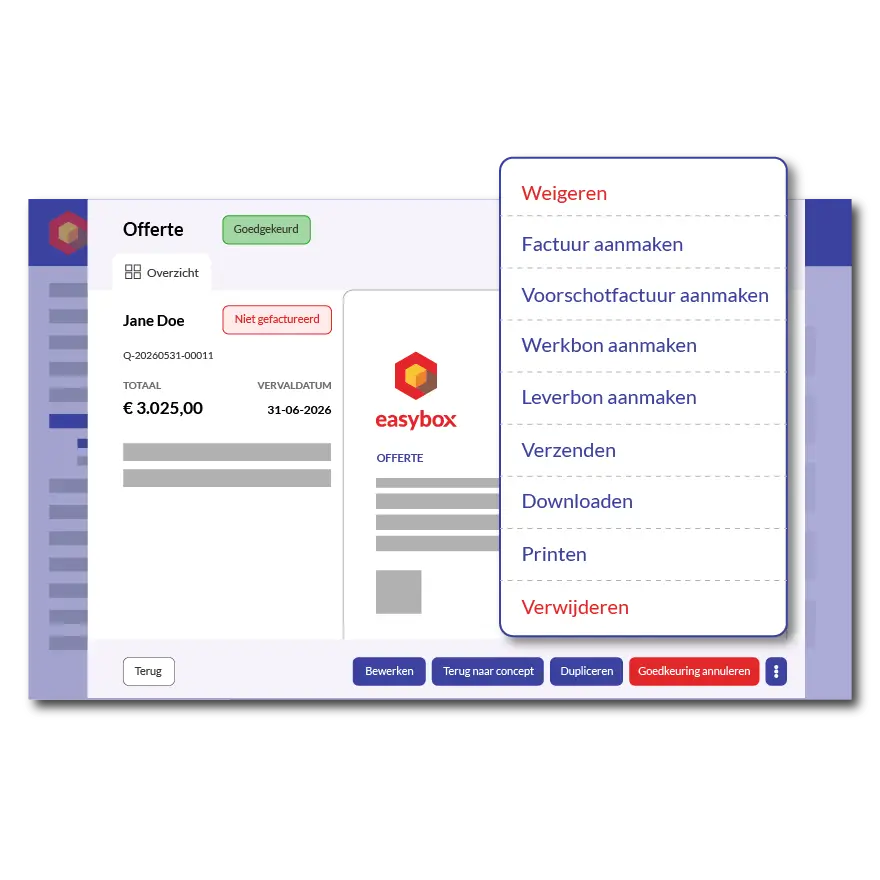
Construction projects can take weeks or even months, and cash flow is everything. Easybox lets you create advance invoices the way your construction company does: based on a percentage of the quote, or based on specific items that have already been completed. With a single click, you can choose between 10%, 25%, 50%, or the full remaining quote amount—and the system immediately calculates the correct amount to be invoiced, including sales tax.
Would you prefer to invoice by completed work item? Select the lines from the quote that are already complete—for example, the structural work—and Easybox will generate an interim invoice containing only those items. The remaining lines will stay open for later invoicing. This way, you maintain a clear overview of what has already been invoiced and what’s still to come, even for projects that span several months.
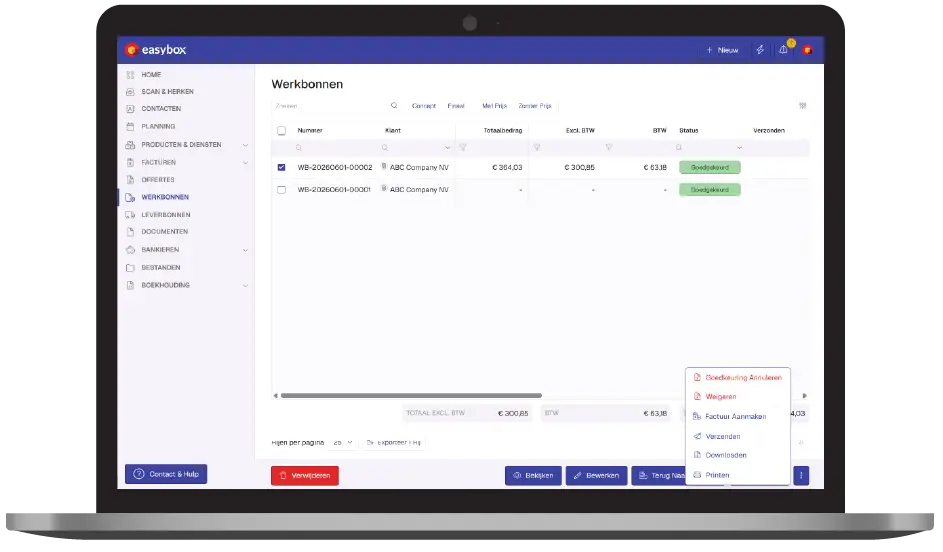
A sales invoice in Easybox rarely starts from scratch. It builds on a quote, an approved work order, or a combination of multiple work orders. Are you closing out a project with three work orders for different jobs? Select the work orders, click “Create Invoice,” and you’ll have a single consolidated invoice ready to send.
Invoices are sent immediately via email, as a PDF, or as a UBL file for e-invoicing via Peppol. Customers immediately receive a payment button with a QR code, so the transfer is completed in seconds. Automatic payment reminders track outstanding invoices without you having to lift a finger.
Then request a free demo today!
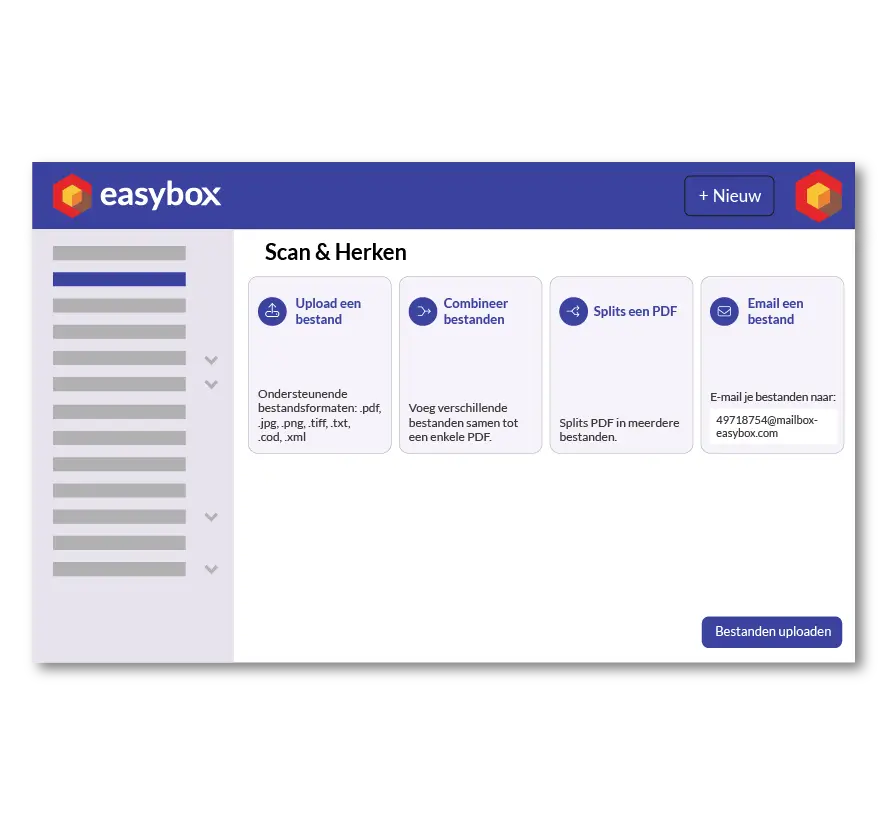
You can upload incoming supplier invoices—from Cebeo, Defranq, Rexel, your lumberyard, or your concrete plant—to Easybox via email, photo, or file upload. The smart assistant automatically reads the content, identifies the supplier, invoice number, due date, and amounts, and prepares the invoice for payment. You no longer need to retype anything.
All purchase invoices are stored centrally and can be searched by word, number, label, or serial number. This way, you can find what you ordered from which supplier three months ago in just seconds—which is handy for warranty claims, disputes, and your accountant.
Here we answer some frequently asked questions about our invoicing software. If you can't find your question and/or answer right away, please don't hesitate to contact.
Yes. Easybox lets you create a down payment invoice with a single click for 10%, 25%, 50%, or the full remaining quote amount, or you can enter a custom percentage yourself. The amount to be invoiced is displayed immediately, including the VAT calculation. This is one of the most commonly used features among construction contractors who work with down payments.
Yes, Easybox supports advance invoicing based on selected quote lines. You check off the work items that have already been completed, and those lines are consolidated into an interim invoice. The outstanding lines remain available for later invoicing, so you never lose track of what has already been invoiced in a multi-phase project.
You can upload incoming invoices via photo, email, or PDF. Easybox’s smart extraction feature automatically reads the supplier, invoice number, due date, and amounts, and prepares the invoice for payment. This completely eliminates the need to retype purchase invoices—one of the biggest time-wasters in construction accounting.
Yes, Easybox fully supports e-invoicing via UBL and is ready for Belgium’s mandatory B2B e-invoicing requirement. You can send invoices directly via Peppol to government clients and business customers, without any additional software or integrations. This will be a mandatory requirement for every Belgian company starting in 2026, and with Easybox, you’ll be ready for it.
Yes. At the end of a project, you select all the approved work orders associated with that project from the work order overview, and with a single click on “Create Invoice,” they are combined into a single, clear invoice. Logged hours, materials, and digital signatures are automatically included.