Adapting invoices, quotes, and other documents to your business’s branding and customizing them for clients is a task every entrepreneur faces sooner or later. With our templates, you can do this quickly and easily. “Set it and forget it.” What a relief!
What are templates?
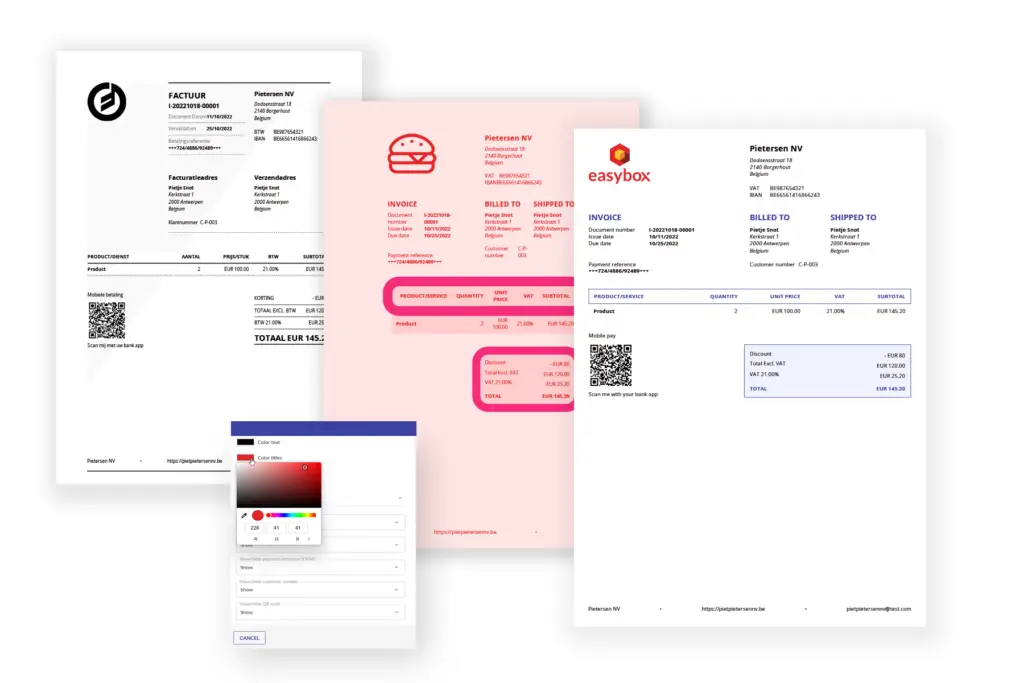
Atemplateis essentially a pre-set layout for a document (e.g., invoice, quote, credit memo). You decidewhatis displayed andhowit will look. You can easily insert and customize your logo, font, colors, attachments, footnotes, etc., to suit your preferences. You also determine here which bundle items are visible. You decide whether to show your customers detailed or simplified pricing information. Easybox supports anunlimited number of templates for each document type per active language.
Benefits of Templates
Content and format are separate. All invoice data is fully available when you create an invoice, just as you're used to. The template then determines which invoice data is displayed and how.
Theideal layoutfor every document is ready for (re)use. The information isautomaticallydisplayed in the correct place. Standard attachments, such as terms and conditions, are automatically inserted. Everything looks neat and professional, just as you’ve chosen.
You always presenta consistent image. This strengthens your company's brand.
There’s alsoflexibility when it comes to language, document type, activity, and clients. Do you have clients who speak other languages? A special project or a second line of business? Just create a custom template with the appropriate logo, color, language, labels, and customized attachment. It’s that simple!
Even forinternal use, it can be convenient to apply different templates to various document types. This makes it possible to quickly distinguish between them based on appearance alone.
Usage
In general, you only need to create templates once in Easybox's organization settings.
Would you still like to make some changes later? No problem. There are more than 30 different settings you can configure and save for each language and document type.
You can then call them up when creating quotes, invoices, and credit memos. Do you have different templates for each type of customer? Then simply select the right template, and all billing information will be customized for that customer. Handy!
Help!! More than 30 settings? Don't worry. When your Easybox subscription starts, all the necessary templates will be set up in advance. They'll be completely ready to use!

 Help!! More than 30 settings?