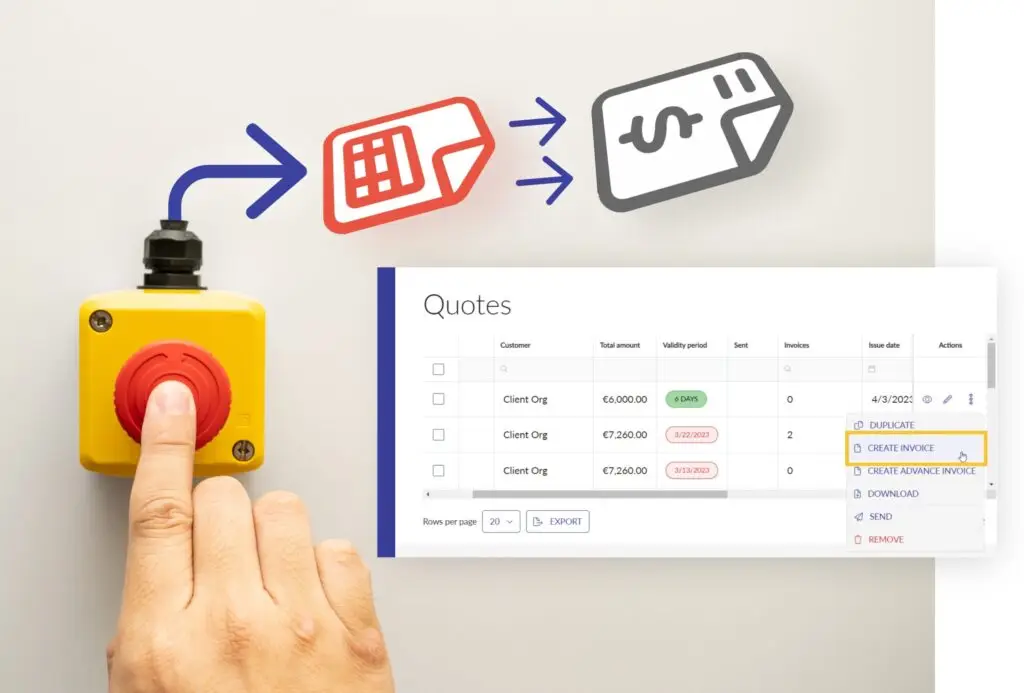
Quickly create a sales invoice based on a quote. Simply reuse all the information. Then customize it as needed.
Everything is filled in automatically
Have you already spent any time putting together a detailed quote?
Avoid duplicating work by using the convenient feature that lets you create invoices directly from a quote. All the details from your quote are automatically filled in on the outgoing invoice and are immediately ready for you to review and send to your customer.
Would you still like to make a change? No problem! Just edit your invoice as usual. Change any line item or price, or add additional line items and attachments.
Benefits
Time savings: No need to manually copy information from a quote, eliminating duplicate work.
More Accurate Data: All data is copied directly from the quote. This significantly reduces the chance of errors.
Flexible customization: The automatically generated invoice details remain fully customizable to reflect the actual delivery of your work.
Usage
Select a quote, then click “CREATE INVOICE.” Save this new invoice and send it to your customer immediately. This makes invoicing a breeze.
Are you working on a larger project? Then explore the option of create advance invoices from a quote.